Skip to content

BotCity

BotCity is a complete platform for developing, deploying, managing, and scaling automation scripts, regardless of the technology used.

Infographic demonstrating the BotCity automation flow in four sequential steps: 1. Code your automation (development using Studio and Frameworks in Python, JAR or EXE); 2. CLI Deploy (publication via CLI to the BotCity Maestro Orchestrator); 3. Choose where to run (cloud infrastructure configuration such as AWS, GCP, Azure, Docker or Lambda with BotCity Runner); 4. Run and manage (execution via BotCity Maestro with log and artifact returns).

Build

Leveraging our open-source frameworks in Python and Java, you can develop your automations in a simple and intuitive way.

Build your Desktop or Web Automations with our coding assistant BotCity Studio and unlock the power of Computer Vision to recognize UI elements in order to interact with them. Instead of inspecting applications, reverse engineering, you can create UI flows from the same perspective of the final user.
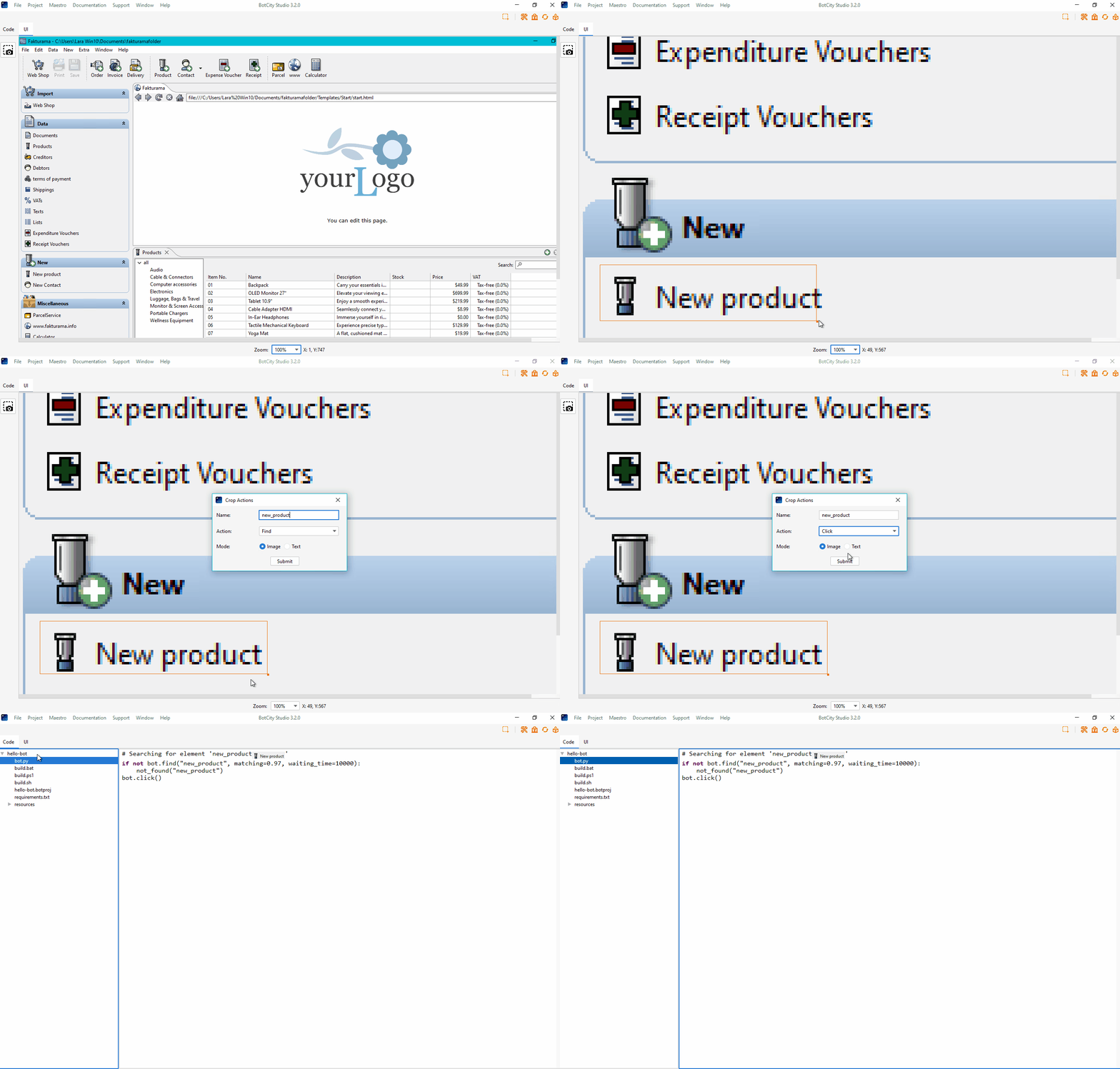
GIF demonstrating the use of BotCity Studio: 1. Screenshot of the elements you wish to interact with; 2. Click on a graphic element to zoom in in Studio; 3. Click and drag to select the desired element; 4. Enter the element's name and the desired action (find, click, move); 5. Click submit to generate the code that performs the desired action.

Speed up your development and reduce the time spent on learning APIs with our ready to use plugins for popular services such as Amazon AWS, Google Suite, Microsoft Office, Slack, and more.

Deploy

Deploy your automations to BotCity Orchestrator using our command-line interface or by integrating with popular CI/CD tools such as Jenkins, GitLab CI/CD, GitHub Actions, and more.

GIF demonstrating the use of the BotCity CLI: showing terminal commands for deploying a bot to the BotCity Orchestrator.

Manage

Manage your automations with BotCity Orchestrator, a powerful and easy-to-use platform that allows you to monitor and control your tasks, manage your machines and audit your pipeline in a centralized way.
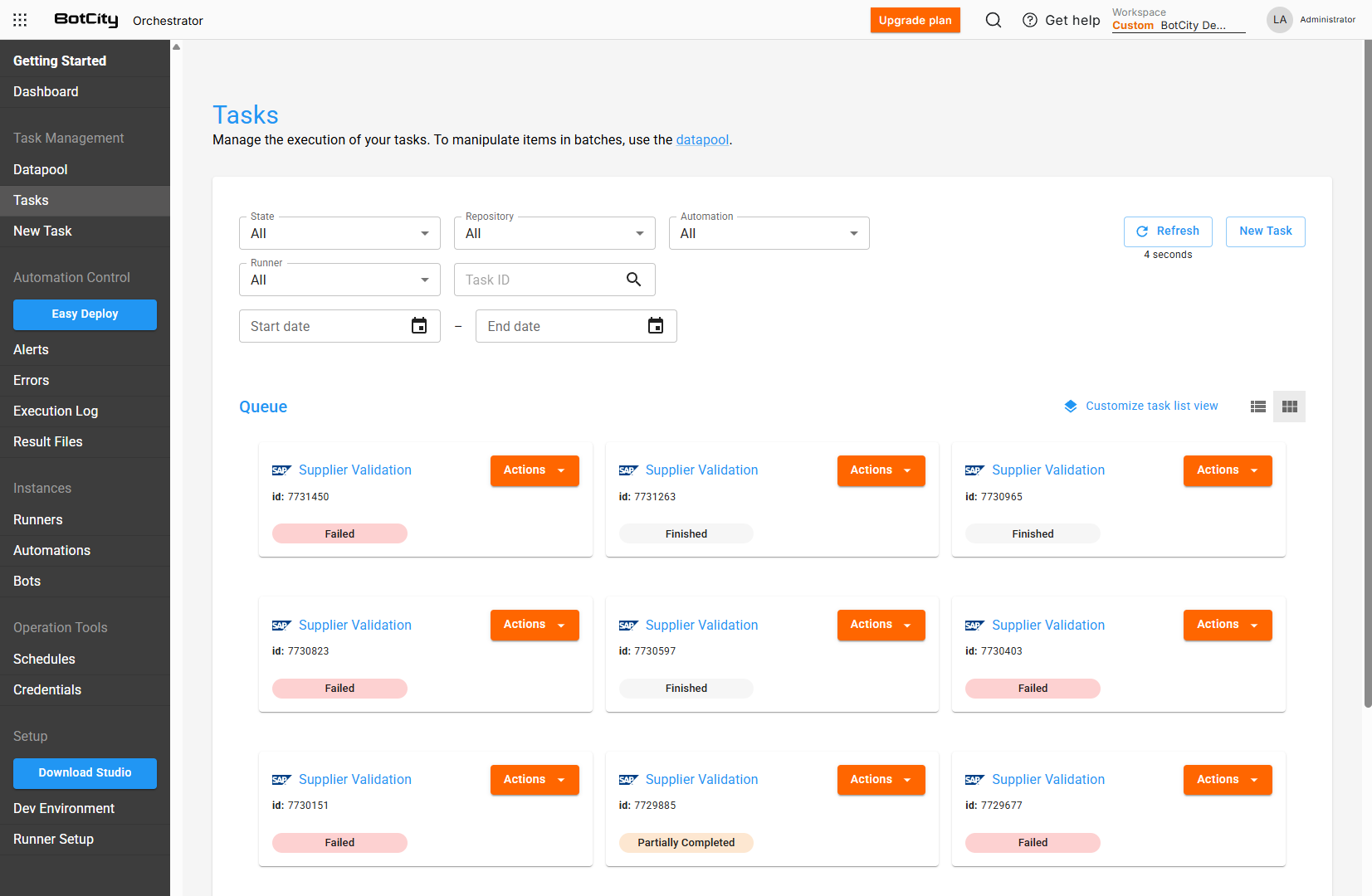
Screenshot of the BotCity Orchestrator interface, in the "Tasks" functionality. At the top, search filters by Status, Repository, Automation, Runner, and ID. Below, a "Queue" section displays a grid of task cards. Each card shows the task ID, an action button, and the current status, ranging from "Failed" (in red), "Finished" (in gray), and "Partially Completed" (in yellow). On the left, a vertical navigation menu with options such as Dashboard, Datapool, Tasks, Alerts, Errors, Execution Logs, Result Files, Runners, Automations, Bots, Schedules, Credentials.

Scale

Choose where to run your automation simply by installing BotCity Runner, regardless of operating system or environment, be it a virtual machine, Docker container, or AWS Lambda.