November
Summary of the month's updates
- Launch of Opportunity Hub: New BotCity product focused on managing and monitoring automation opportunities within the company;
- Granular permissions per product: It is now possible to assign different roles for each user in each BotCity product, instead of replicating the same role across all products;
- Independent Organization control: You can define whether a user will have access to Organization management separately from the products;
- New "No Access" role: Allows blocking a user's access to specific products or Organization management;
- Automatic migration: Existing users will have their roles and permissions migrated automatically, without losing access;
- Import and export automations: Move automations between workspaces via JSON files without recreating them from scratch;
Opportunity Hub
We are excited to announce the launch of the Opportunity Hub, a new BotCity solution designed to help companies efficiently identify, manage, and monitor automation opportunities. With the Opportunity Hub, organizations can centralize their automation initiatives, making it easier to prioritize and track progress.
Features
Some of the key features of the Opportunity Hub include:
- Opportunity Identification: Integrated tools to capture and document automation opportunities across the organization.
- Evaluation and Prioritization: Mechanisms to assess the potential impact and feasibility of opportunities, enabling teams to prioritize automation initiatives based on clear criteria.
- Progress Monitoring: Intuitive dashboards to track the status of opportunities, from identification to implementation.
- Team Collaboration: Features that facilitate collaboration among team members, promoting an integrated approach to automation.
Note
See more details in the Opportunity Hub documentation.
User Role Settings
We are introducing a new way to manage users and roles in your BotCity products. Starting with this release, you can segment and choose:
- Who is part of Organization management: managing resources such as
groups and repositories,inviting new users,auditing, andplans; - Who is part of each product and the respective role of each user: each user can have different roles in each product, such as
BotCity Orchestrator,Opportunity Hub, andInsights.
What's changing?
Previously, once you invited a user and assigned them a role—whether as an administrator, manager, developer, or operator—that role was replicated across all products and Organization management.
Now, you can assign different roles in different products for a single user and also choose whether to include them in Organization management and what their function will be.
Examples:
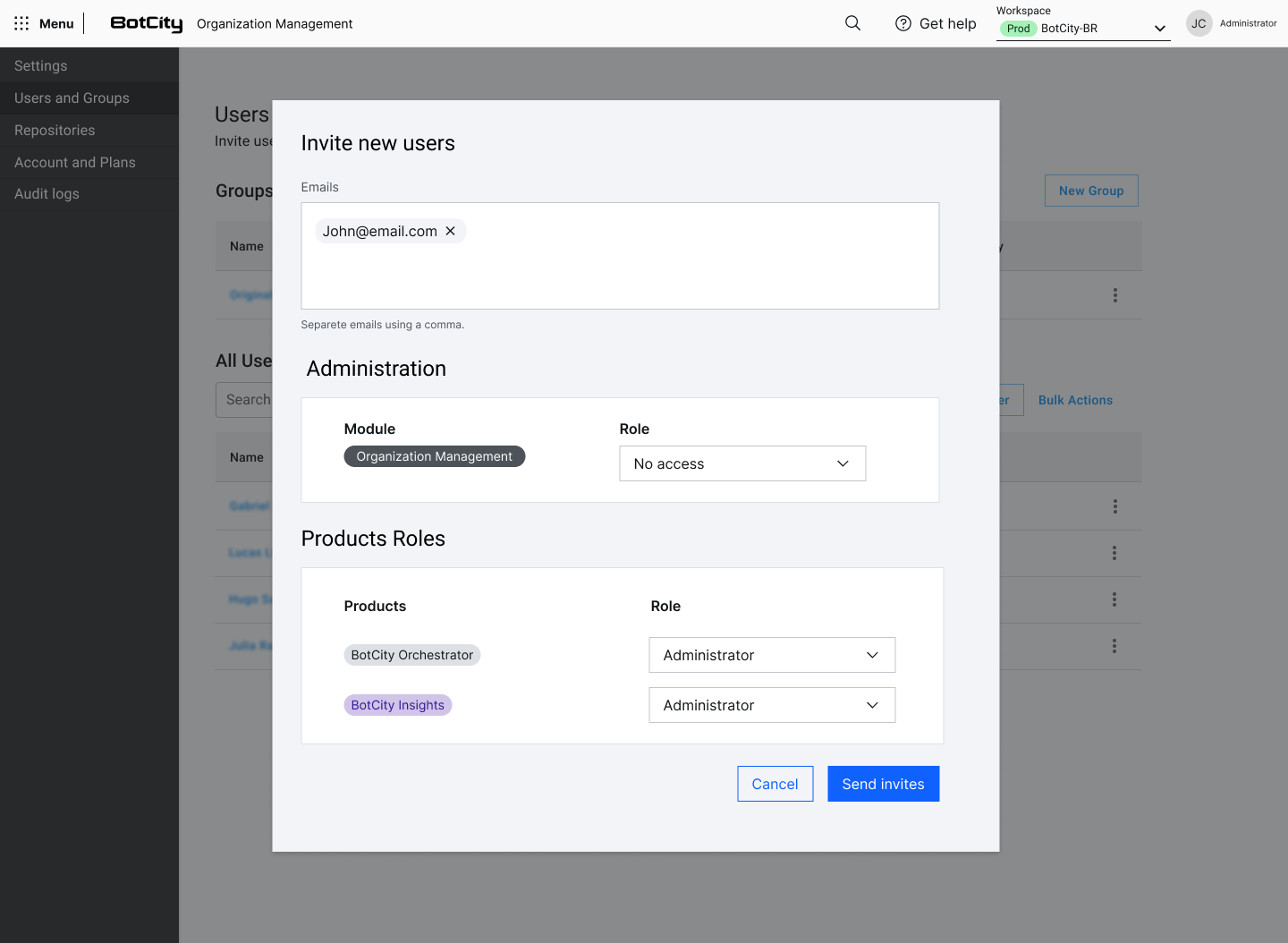
John can have the Administrator role in BotCity Orchestrator and Insights and no access to Organization management. In this case, he can use all the Orchestrator's resources but does not have permission to use the Organization area, create new groups, repositories, etc.
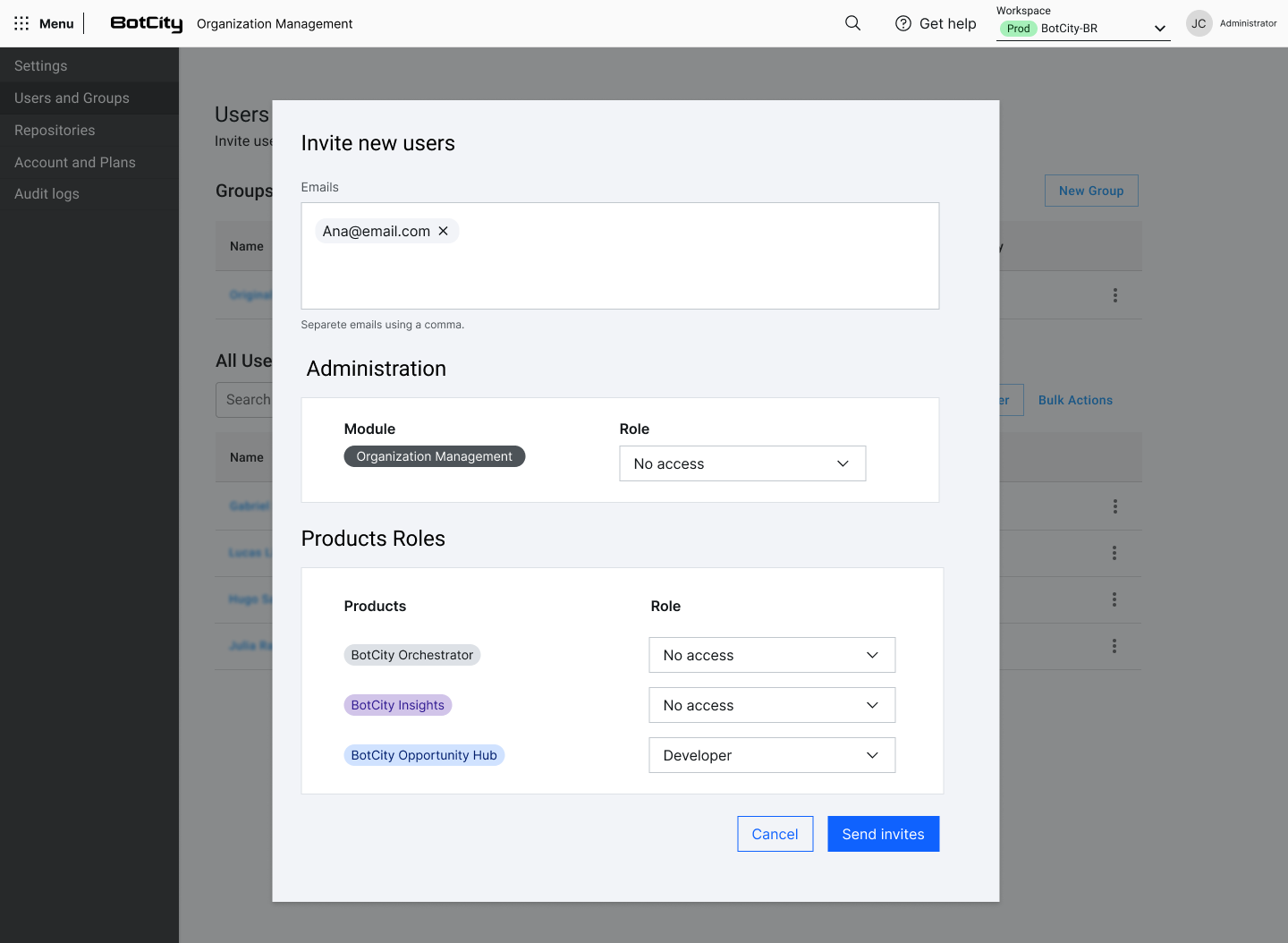
It is also possible to include users in only one product, limiting their access to other products contracted by the company.
Example:
Ana has access only to the Opportunity Hub product with the Developer role. Thus, she can use all the Opportunity Hub's features but does not have permission to access BotCity Orchestrator, Insights, or Organization management.
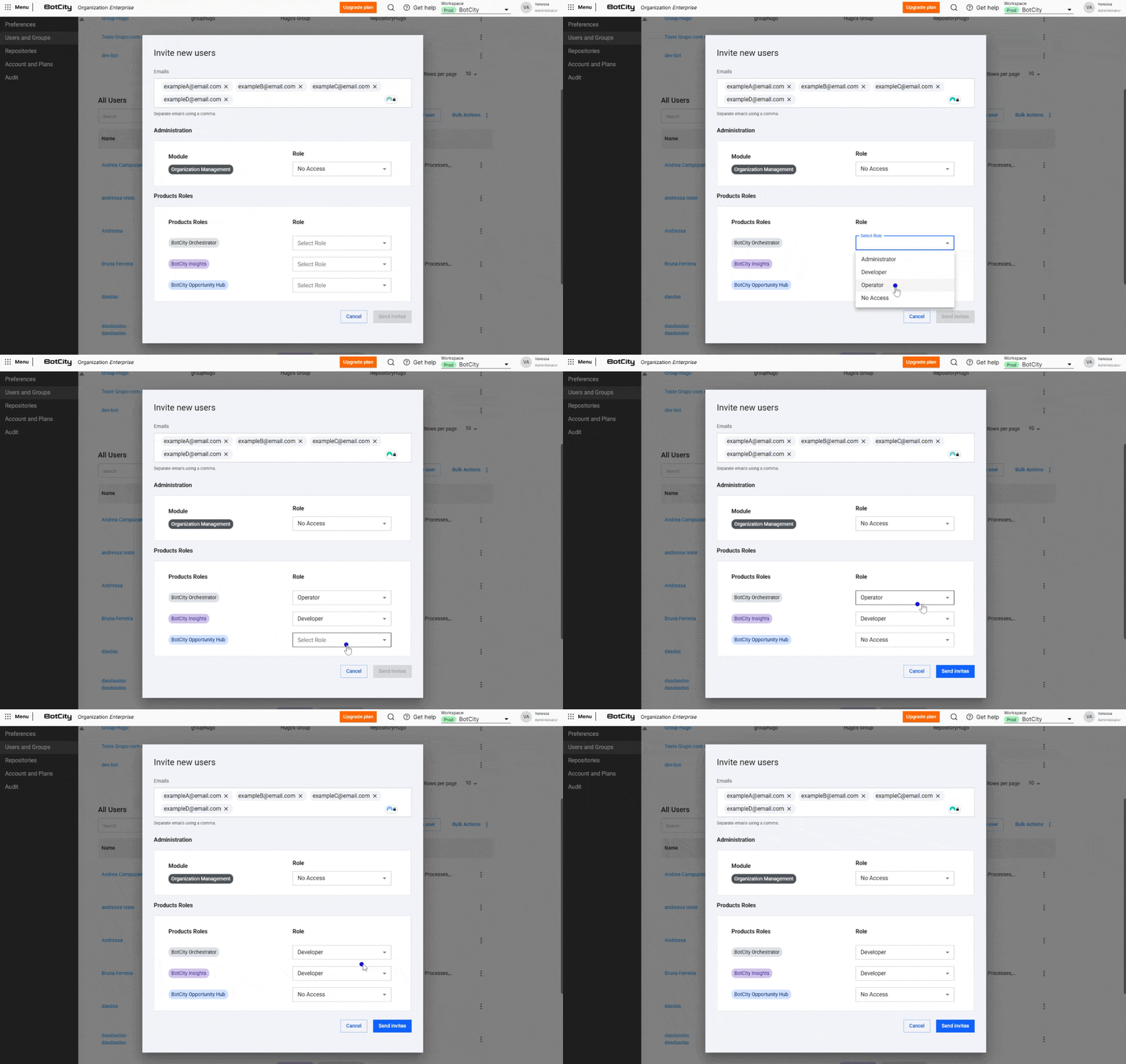
Inviting new users
Starting with this release, only users with the Administrator role in Organization management can invite new users to the platform.
- Go to the Organization → Users and Groups area
- Click on
Invite users -
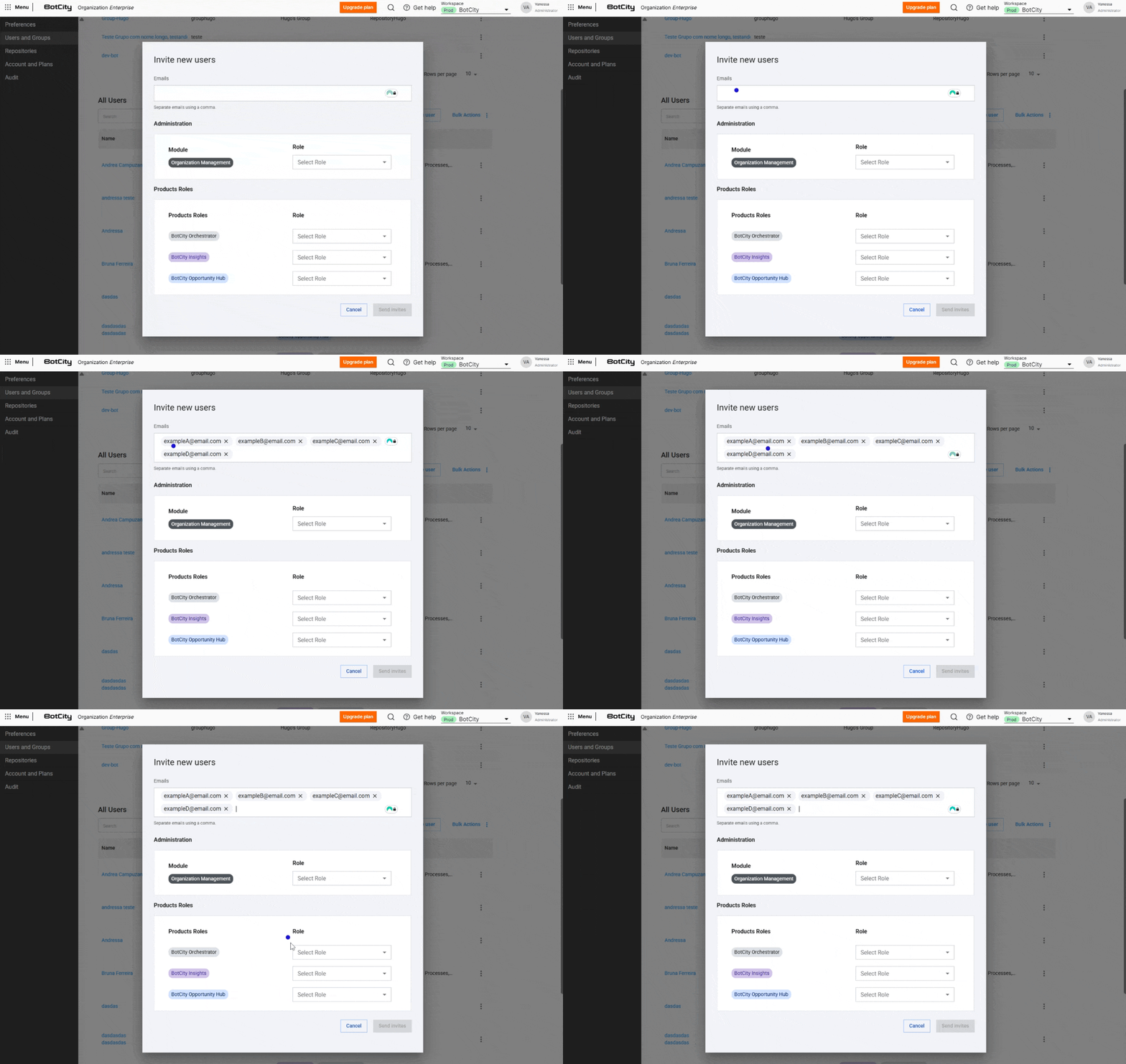
Add the email address to send the invitation
You can send invitations to up to 100 users at once. All users included in the email field will have the same roles defined both in Organization management and in Products.
Attention
To assign different roles, separate invitations must be sent.
-
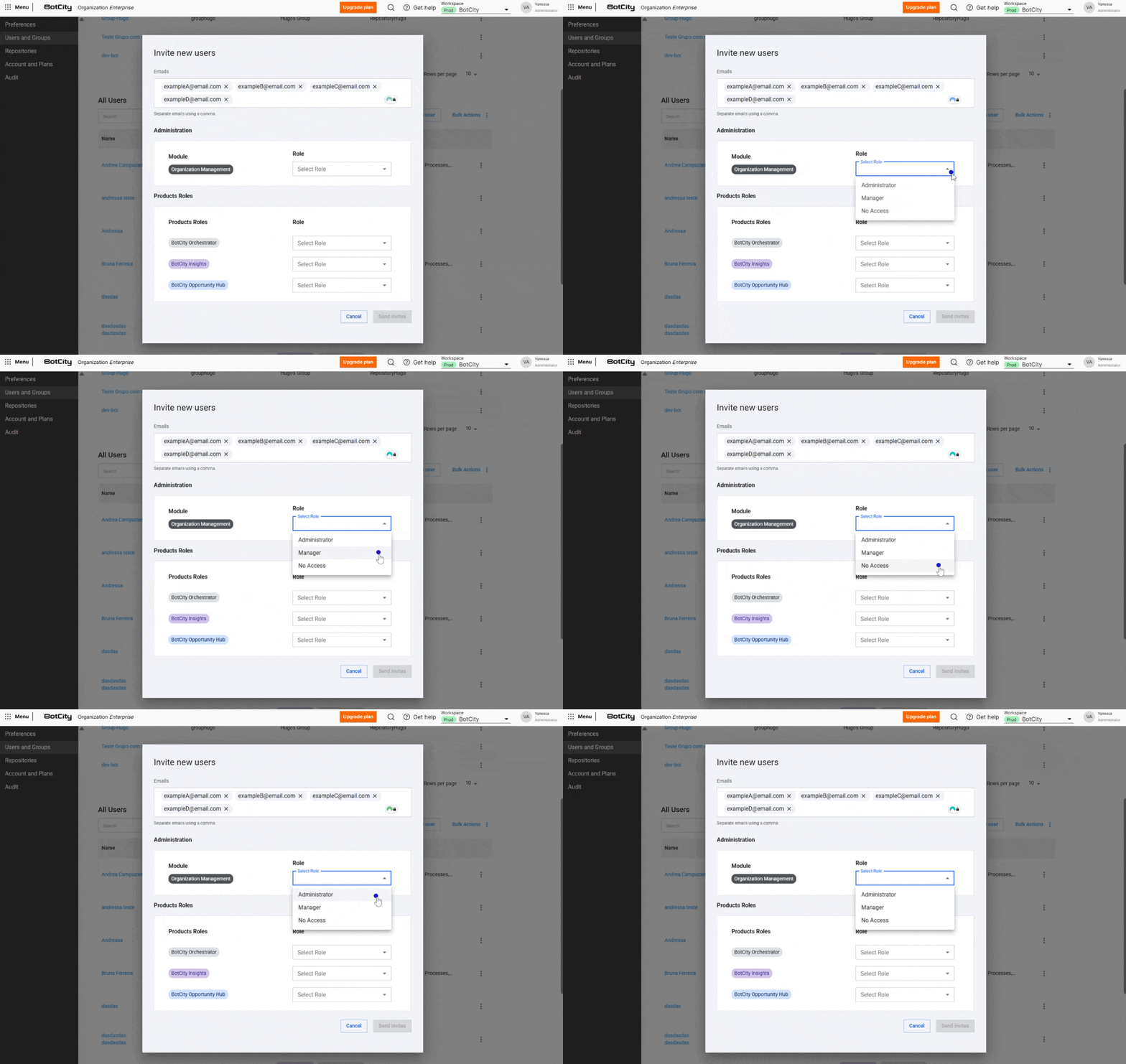
Choose whether this user should have access to the Organization
A user can have one of three roles assigned:
AdministratorManagerNo Access
-
Choose the product and the respective role for the group of invited users
Access can be granted to products with the respective roles:
- Orchestrator:
Administrator,Developer,Operator,No Access; - Insights:
Administrator,Developer,No Access; - Opportunity Hub:
Administrator,Developer,Operator,No Access;
- Orchestrator:
Attention
If a user tries to access a product in the plan they do not have permission for, they will be notified by the interface and instructed to contact the Organization administrators.
Existing users
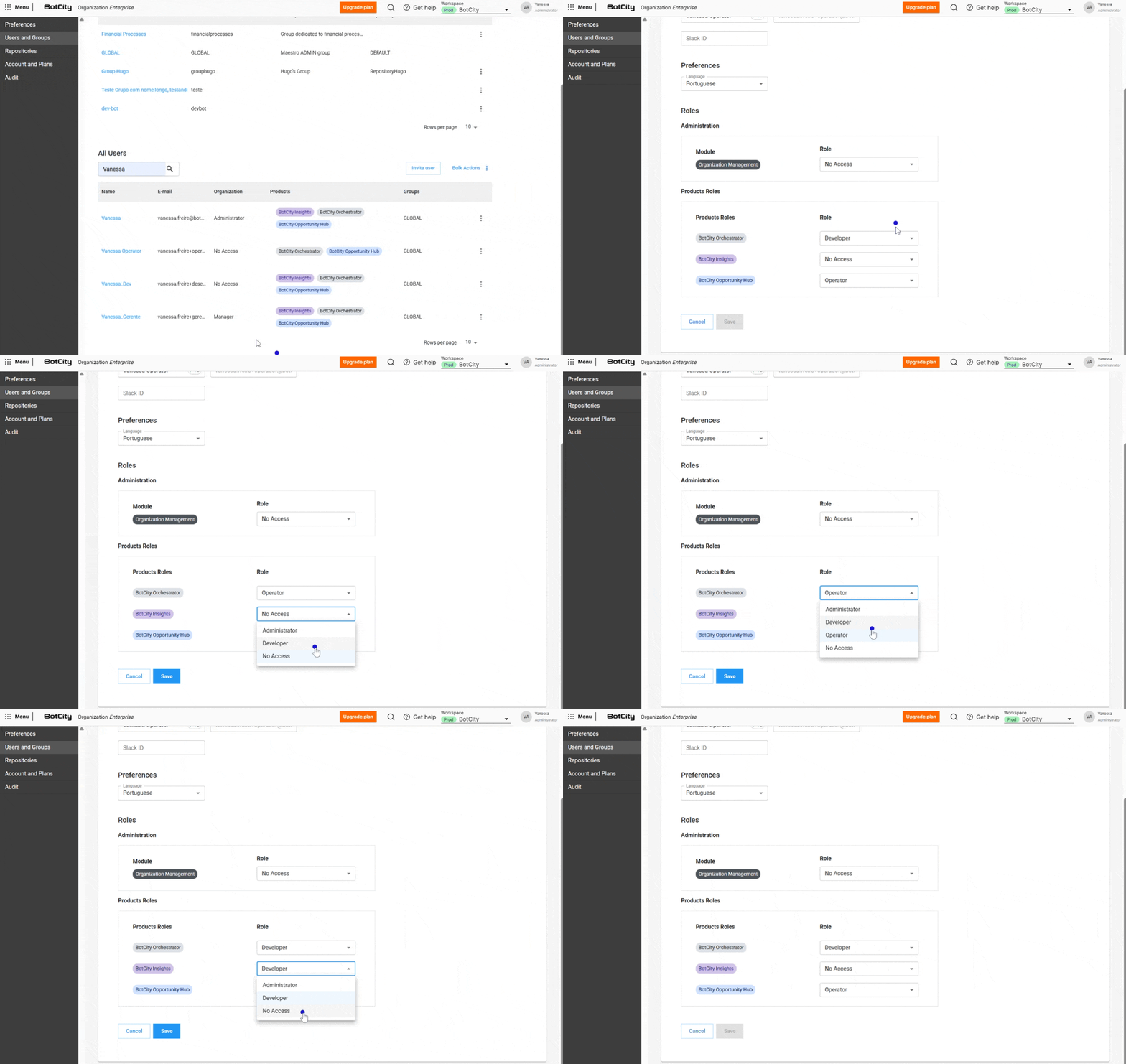
For users already using BotCity products, the change is in the management interface. When viewing a user's profile, you will see roles organized by Organization and Products modules, allowing you to edit permissions granularly.
💡 Tip
Your current roles and permissions will be migrated automatically without losing access. If you have any questions, contact our Support.
Note
See more details in the Organization documentation.
Import and Export Automations
It is now possible to import and export automations between workspaces in the BotCity Orchestrator. This allows users to move automations between workspaces without creating a new file.
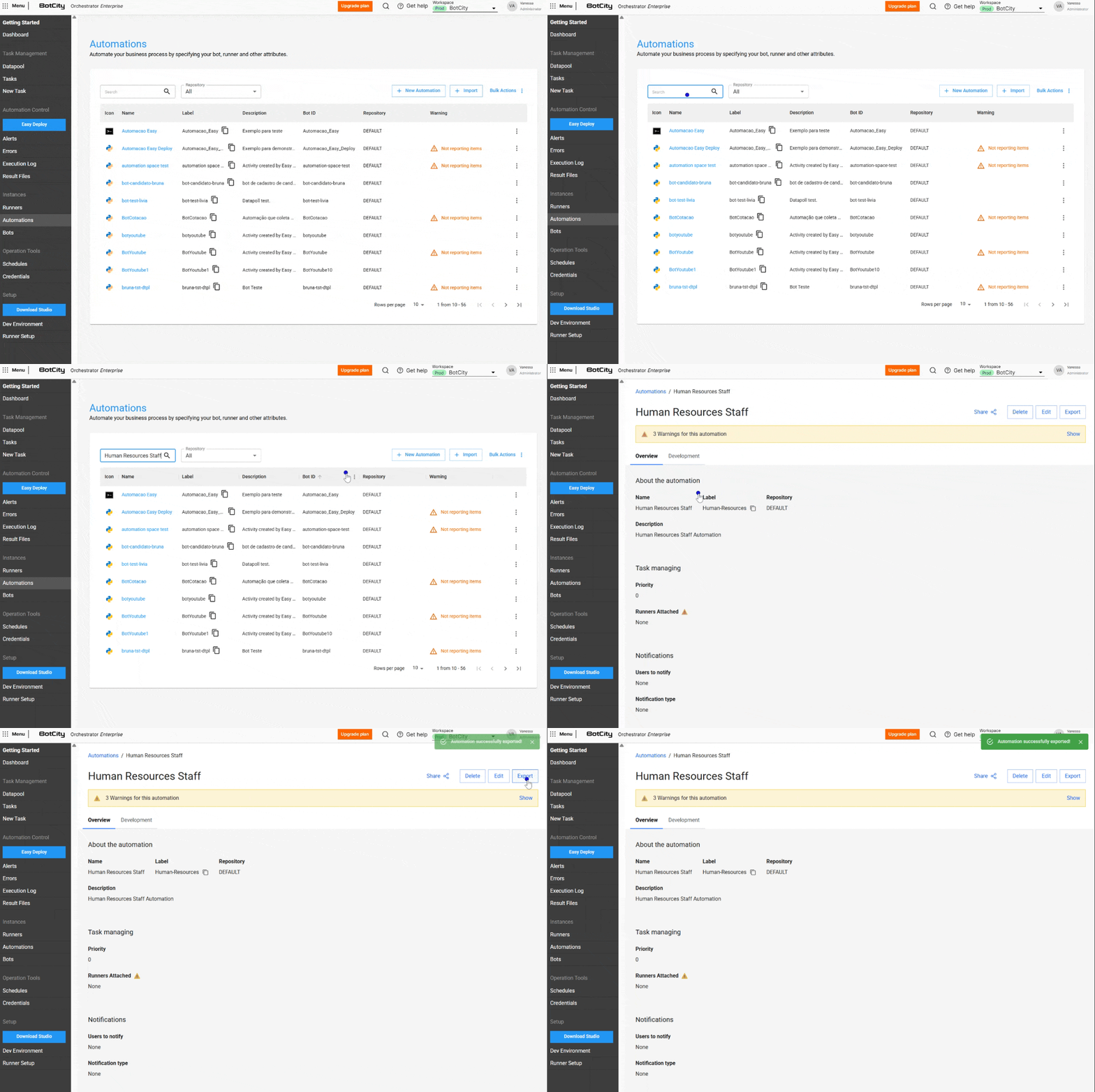
Exporting automations
To export automations and include them in another workspace:
- Go to the Automations feature
- Access the automation you want to export
- Click
Exportat the top
Done! The JSON file will be downloaded to your machine.
Importing automations
When importing an automation, the file includes the following data:
- Name
- Label
- Description
- Parameters
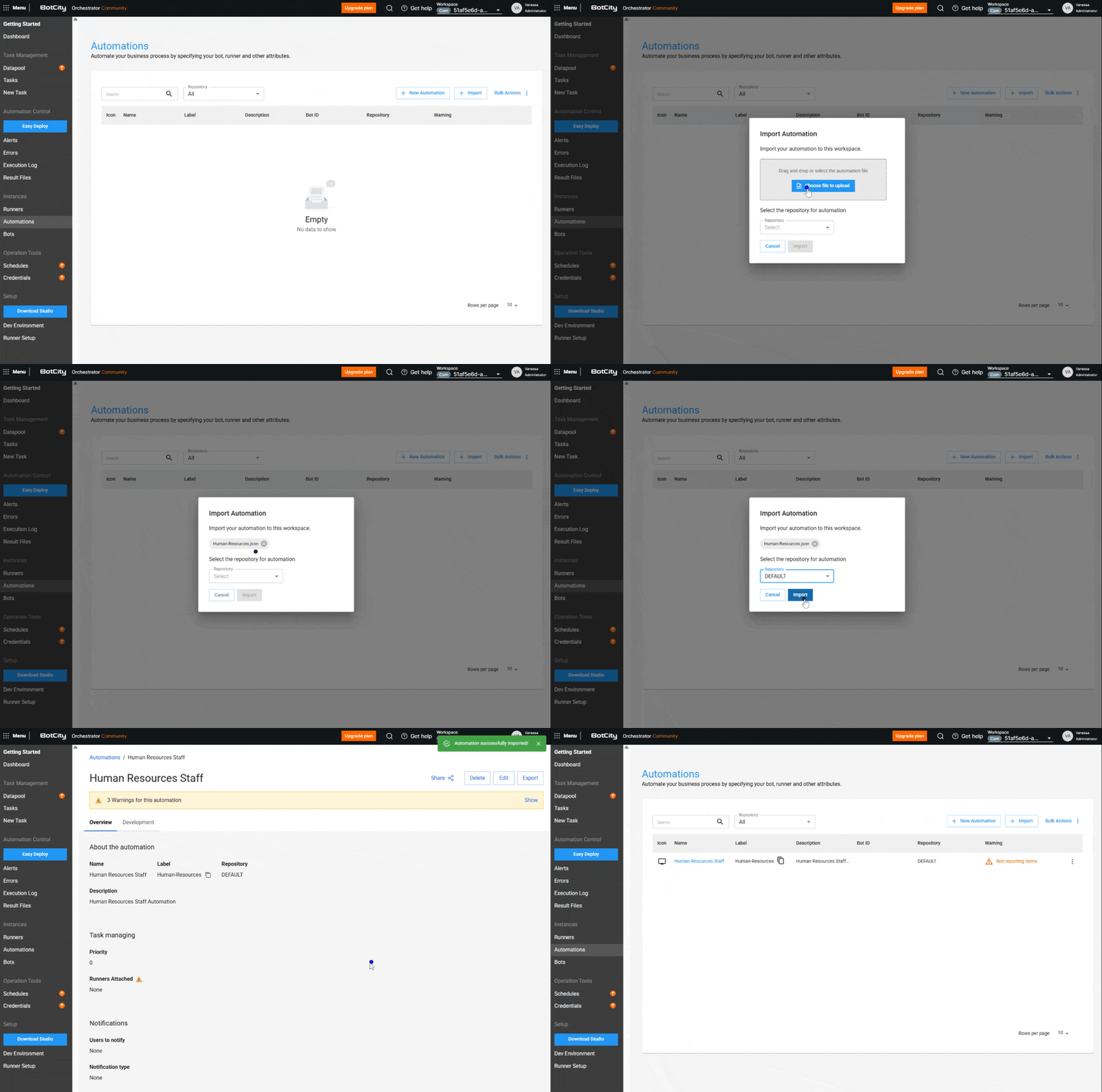
To import automations from one workspace to another, follow the steps below:
- Go to the Automations feature
- Click the
Importbutton - Upload the automation file
- Choose which repository this automation should be allocated to
- Click
Import, and the automation will be imported into the workspace
Attention
For the automation to execute tasks and work in the new workspace, you need to assign a Runner and a Bot.
Note
See more details in the Automations documentation.