August
In August 2026, BotCity Insights launches self-service Data Reprocessing, allowing administrators to fix incorrect historical data (unexpected ROI, wrong FTE, impossible hours) directly on the platform, without having to open a ticket with the BotCity team.
Data Reprocessing
Now, a user with the Administrator role can trigger reprocessing directly from the Data Input section, fixing historical data on their own.
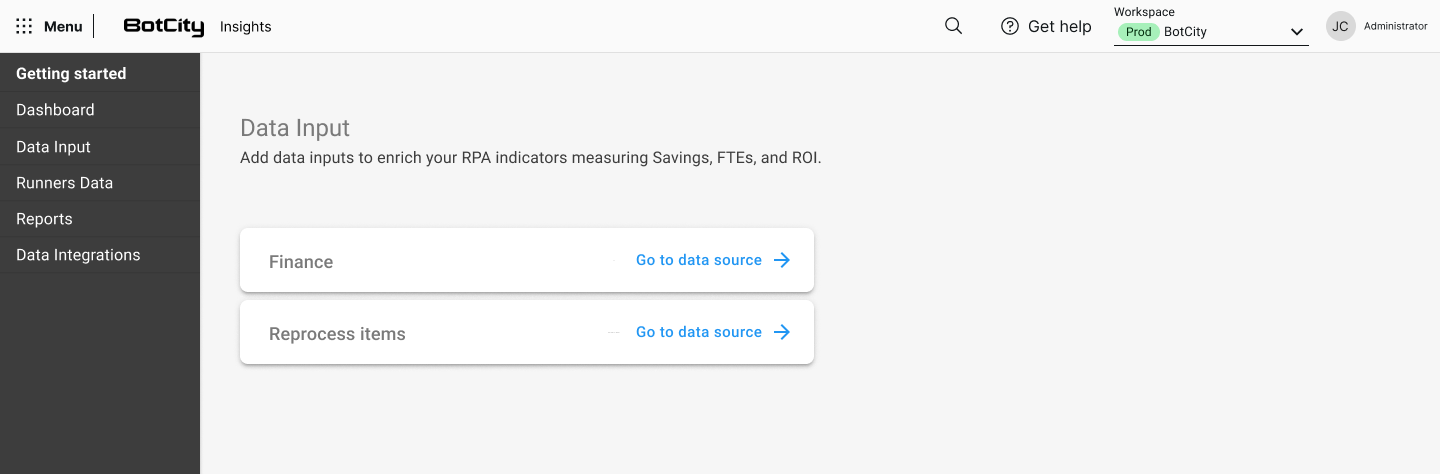
How to request a reprocessing
The request flow has three steps:
- Select automations: automations without financial values filled in block progress and show a warning on the corresponding row.
- Check items (optional): paginated list with search by Task ID and filter by execution date/time; the processed items and failed items fields can be edited manually.
- Select the period: maximum range of 6 months per request.
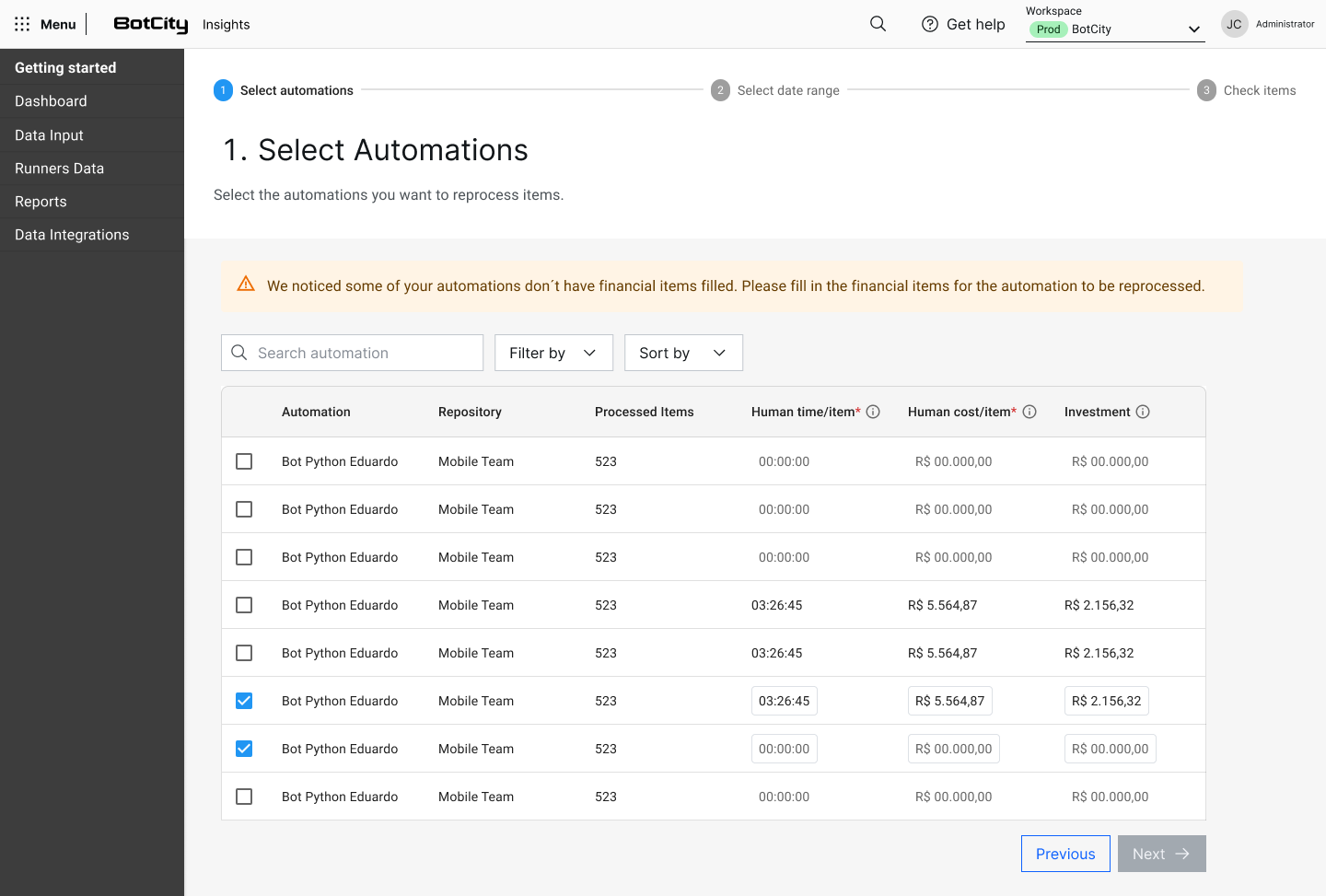
For the full step-by-step, see the Data Reprocessing documentation.